01
- Available instantly
- No subscription
- Yours for good
Store
A storefront that looks custom-built, at the price of a template. Every theme is fully worked out and ready to use. You buy once and keep it.
- Products
- 1
- Price
- €149
- Updates
- 1 year
- Download
- Instant
01 / 03Index
Products
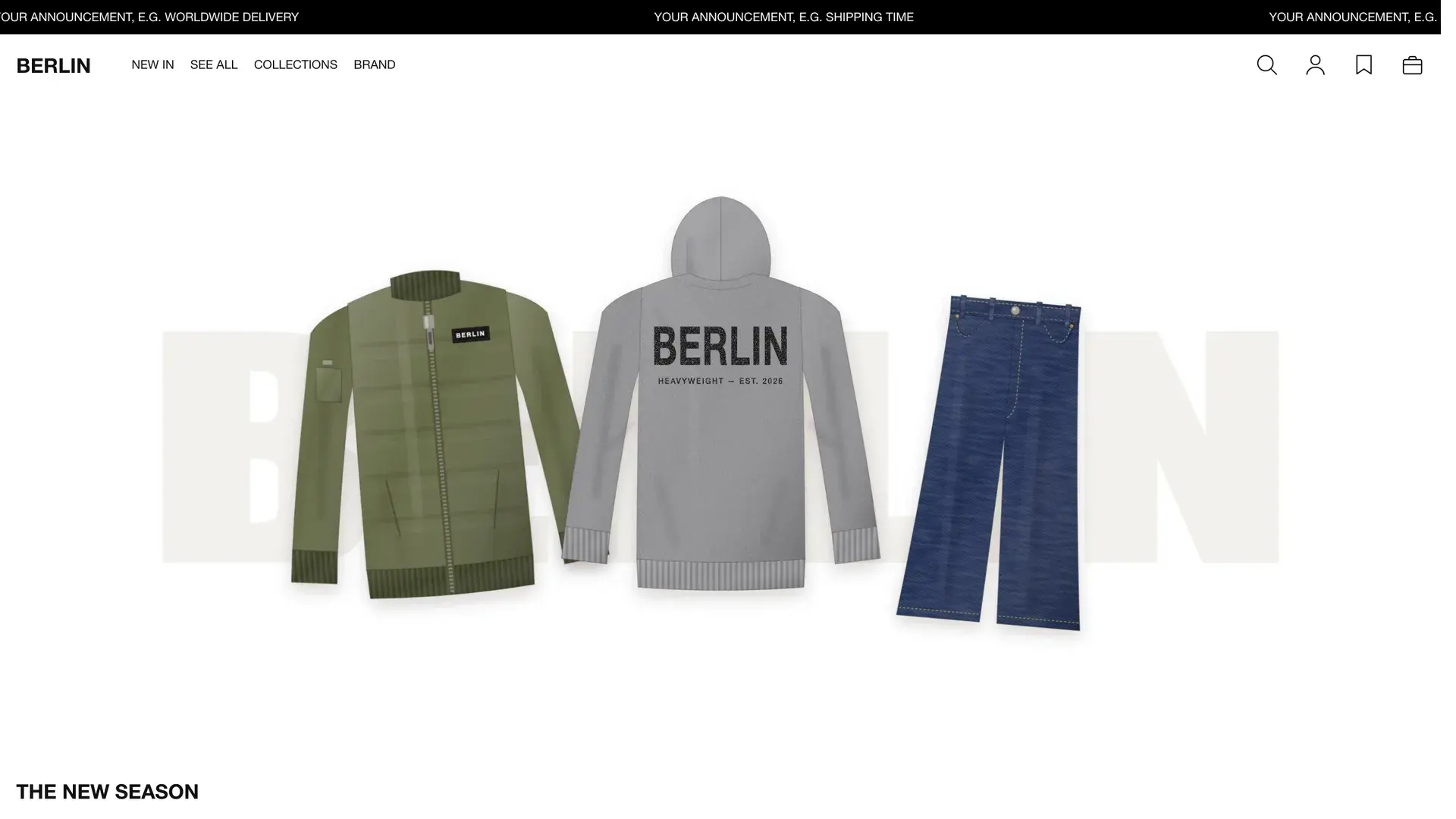
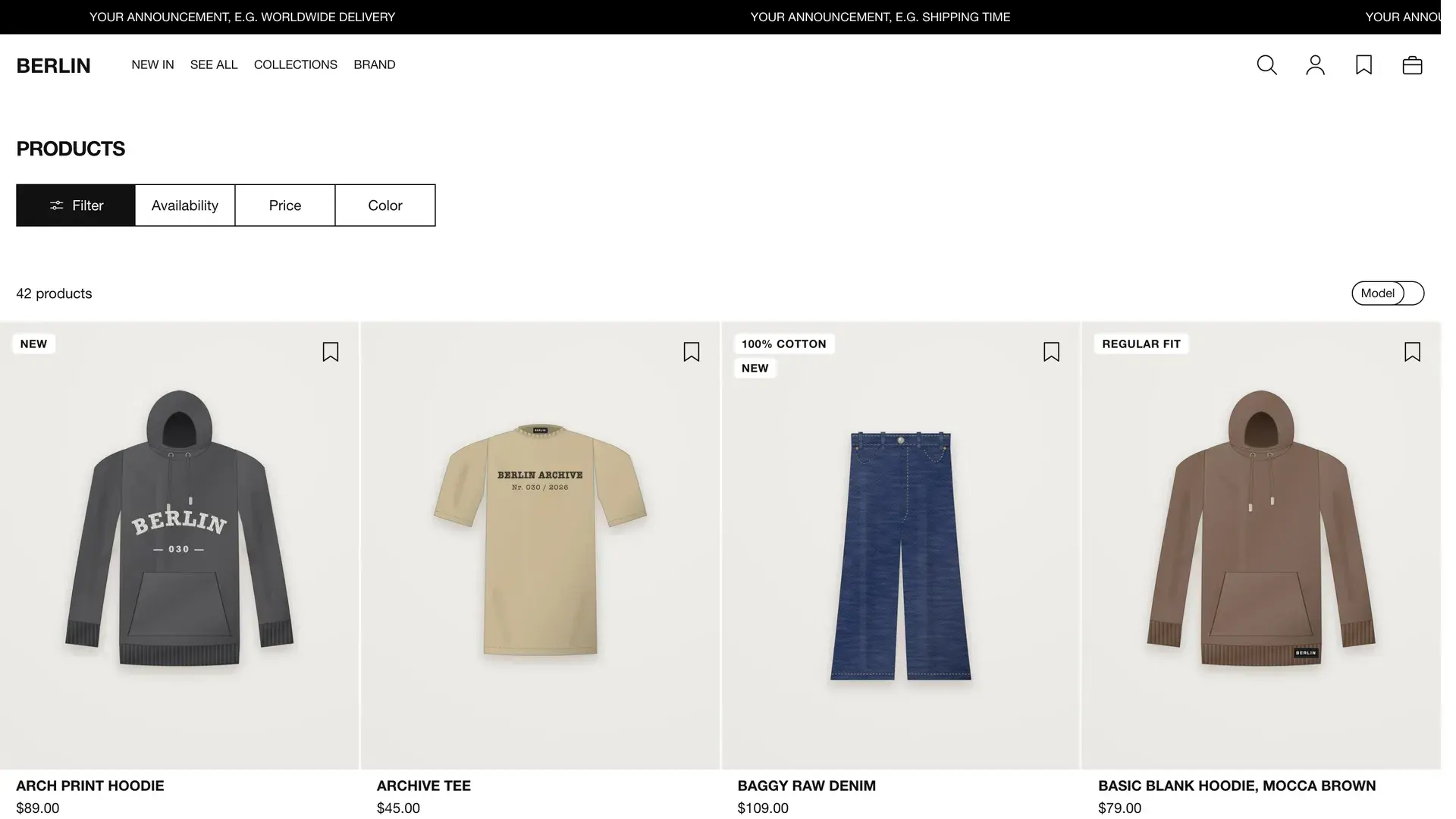
Every theme shows real screenshots from its demo store. Design, scope and price at a glance.

02
In progress
More soon
Berlin is the first theme in the series. More for other styles are in the works, built on the same foundation.
02 / 03Scope
Included
What you get with the purchase. The scope sits with the product, not in the small print.
Shopify themes
- 01
Blocks for every page
17 content sections and 31 blocks. Add, move, duplicate or switch off any section yourself, without a line of code.
- 02
Fast from day one
Lighthouse 100 on mobile and desktop. System font with nothing to download, no slider plugins and no layout that jumps while it loads.
- 03
Three style presets
Volt, Mono and Signal as a starting point. Then set colors, fonts, corners and animations, from page transitions to hover, yourself.
- 04
Built to sell
Buy bar that follows along, low-stock note, discount in percent, free shipping bar and a notice when a size is back.
- 05
Fields for your details
Color variants, size guide, “The model is wearing …” and “Styled with” come from their own fields instead of disappearing into the description.
- 06
Usable by everyone
Skip link to the content, visible focus, menus and side panels work with the keyboard. Visitors with reduced motion turned on see no animations.
- 07
German and English
Storefront texts and theme editor ship in both languages. Add more languages in Shopify.
- 08
Open source files
The code ships unencrypted. Every section and snippet starts by explaining what it does. If you want to go deeper, you can.
- 09
A year of updates
Fixes and new sections arrive as a file, without buying again.
- 10
Instructions in steps
Installation, menus, metafields and page templates, briefly explained. With an overview of which setting changes what in your store.
03 / 03Answers
Questions
What people ask most before buying.
About buying
01How do I pay and do I get an invoice?
Payment runs through Paddle, our reseller. Checkout shows the payment methods available in your country. Paddle emails you the invoice with VAT shown.
02When do I get the file?
The moment you buy. You also get a link by email that stays valid. New versions from your update period come through it too.
03What if the theme turns out not to fit?
Best to check that before you buy. The live demo shows the theme with every page, and we answer your questions by email up front. Once you have downloaded it, returns are excluded, which you agree to at checkout. If the theme is faulty, we fix it.
Shopify themes
01Do I need to know how to code?
No. Setup, copy, images and the order of sections are all handled in the Shopify theme editor. The guide walks you through it step by step.
02How does the theme get into my store?
You upload the ZIP file in Shopify under “Online Store, Themes, Add theme”. The included guide then walks you through menus, metafields and page templates. Expect about an hour.
03What can I customize in the theme?
Almost everything, without code. You start from one of the three style presets Volt, Mono or Signal, then set things up yourself: ten colors from accent to sale price, fonts and sizes for body text and headings, corner radius and heading style. For animations you choose the page transition (mosaic, panels, fade, slide or wipe), reveal on scroll, transitions, hover effects and the speed. Every animation can be turned off on its own. On top come product cards (image ratio, model or product shot, badges), cart (side panel or page, free shipping, recommendations), logo and social media links. Content sections get their own colors and spacing. If you want to go further, edit the open source code.
04How do I show colors and sizes?
Through the variant options “Color” and “Size” in Shopify. Every color gets a swatch with an image, and the gallery then shows only that color’s images. Sizes appear as buttons. If you keep colors as separate products, link them through a metafield. The guide covers both ways.
05Do I need extra apps?
Not to get started. Wishlist, recently viewed products, size guide and back-in-stock requests for sold-out sizes are built into the theme. For filters on collection pages, use Shopify’s free “Search & Discovery” app.
06Will my apps work?
Apps with app blocks go onto the product page, or onto any other page through the “Apps” section, without code. App embeds such as chats or cookie banners are switched on in the theme settings. Apps that want to change the source code we check in advance on request.
07Can I sell abroad with it?
Yes. The theme works with Shopify Markets: country and currency selector in the footer, a free shipping threshold per currency and headings that follow the store language. Storefront texts ship in German and English, add more languages in Shopify.
08What happens when Shopify updates?
We keep the themes maintained and publish new versions as a file. Within your update period that costs nothing, and you get an email. Your own changes to the code you carry over yourself.